

Examples#
The Examples Tab within the settings panel contains several examples that highlight the key capabilities and potential workflows with Kimodo.
Examples are included for the Kimodo-SOMA-RP and Kimodo-G1-RP models.
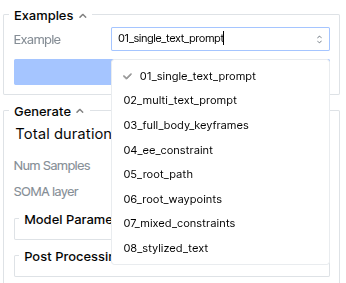
After choosing an example from the dropdown menu, click “Load Example” to load the example configuration into the viewer.
The viewer will display the pre-generated motion along with the prompts and constraints on the timeline that were used to generate it. All settings used to generate the model are also loaded with the example (e.g., seed, classifier-free guidance settings), so you should be able to click “Generate” in the panel to recover the same result.
Example cover a variety of ways to use one or more text prompts along with kinematic constraints for generation.
Saving New Examples: after you’ve generated a motion, you can save a new Example under the “Load/Save” tab of the Settings panel. You should immediately see the Examples dropdown update with your new saved example so it can be loaded in later.
This section walks through common workflows and how to use the webapp. Each workflow has its own section and an accompanying video.