

Interactive Demo#
The web-based interactive demo provides an intuitive interface for generating motions with any of the Kimodo model variations.
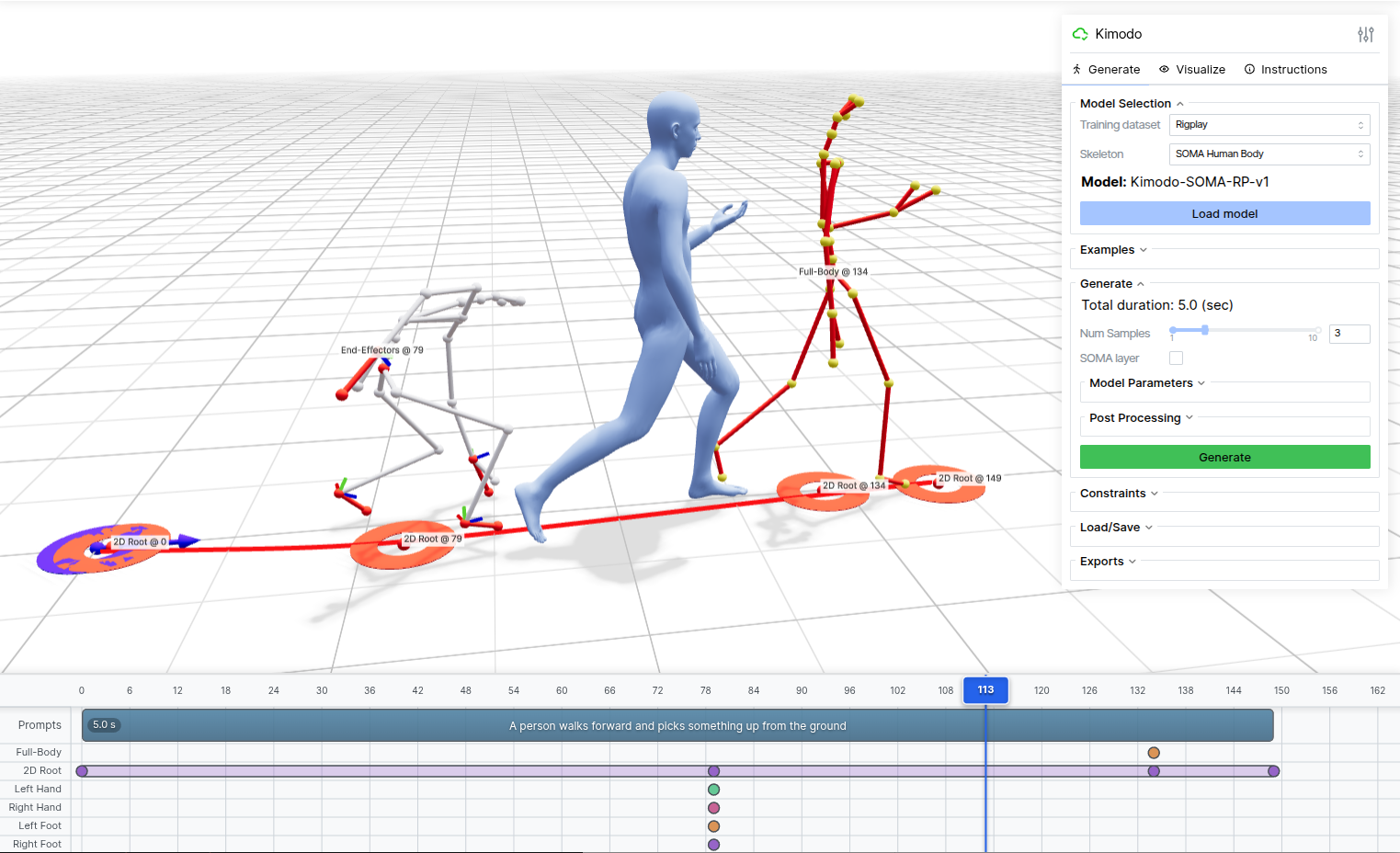 Interactive demo interface build with Viser
Note
To see the demo in action, follow the setup instructions below and launch it locally. After launching, open the demo in a web browser at http://127.0.0.1:7860 or use port forwarding if running on a server.
The demo provides a timeline-based interface for composing text prompts and constraints, with real-time 3D visualization. Here are some key features:
Multiple Characters: Supports generating with the SOMA, G1, and SMPL-X versions of Kimodo
Text Prompts: Enter one or more natural language descriptions of desired motions on the timeline
Timeline Editor: Add and edit keyframes and constrained intervals on multiple constraint tracks
Constraint Types:
Full-Body: Complete joint position constraints at specific frames
2D Root: Define waypoints or full paths to follow on the ground plane
End-Effectors: Control hands and feet positions/rotations
Constraint Editing: Editing mode allows for re-posing of constraints or adjusting waypoints
3D Visualization: Real-time rendering of generated motions with skeleton and skinned mesh options
Playback Controls: Preview generated motions with adjustable playback speed
Multiple Samples: Generate and compare multiple motion variations
Examples: Load pre-existing examples to better understand Kimodo’s capabilities
Export: Save constraints and generated motions for later use