
Annotation#
The annotation interface lets users label videos directly in the browser, bulk-label entire search results in one click, and manage the label vocabulary across the dataset. All annotation is project-scoped: labels created in one project are not visible in another.
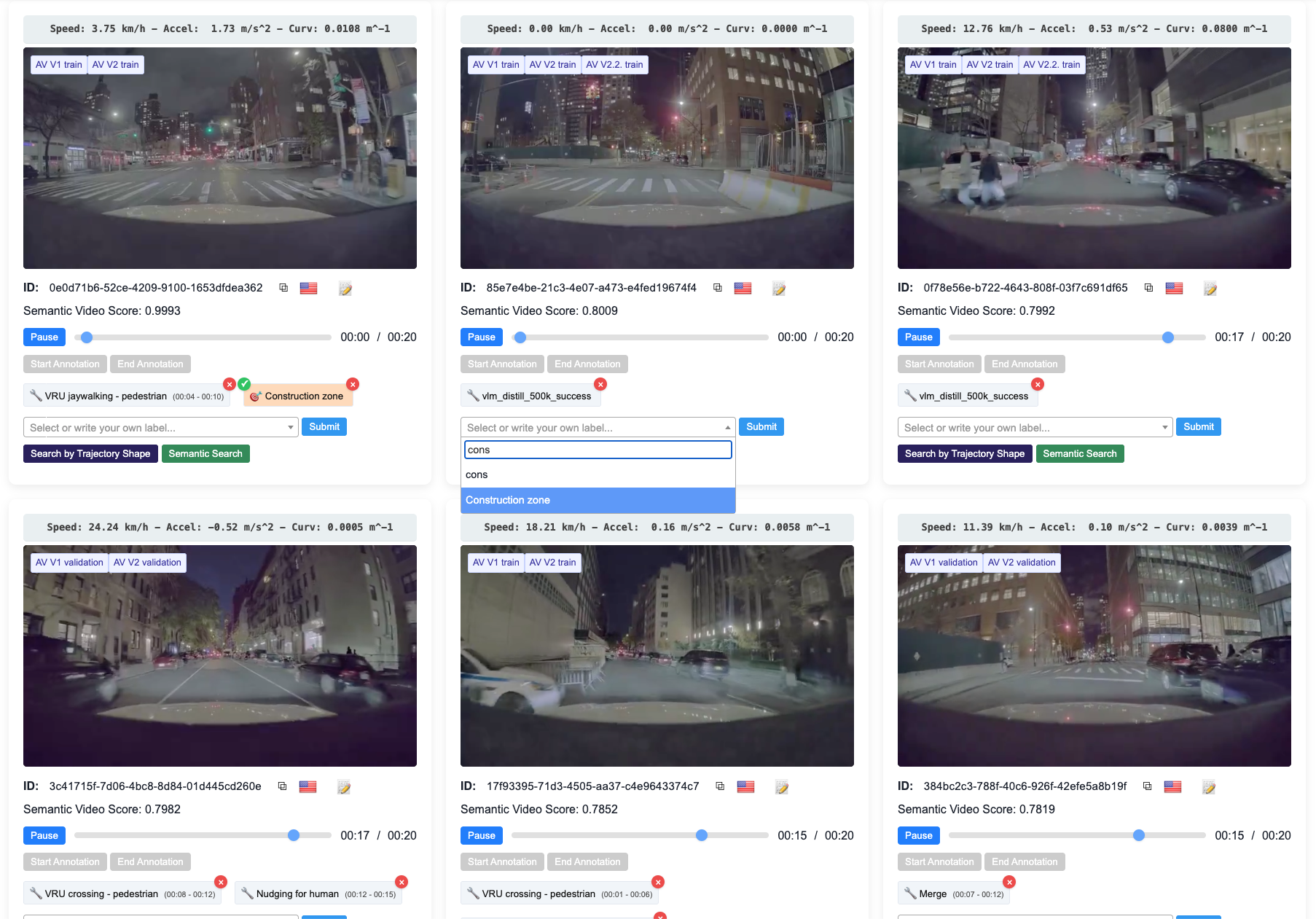
Annotation interface showing a search result with manual labeling controls.#
Note
The active Project is selected from the top navbar, not from within this panel. Switching projects changes which labels are visible across the entire interface. When annotating, the target project to write labels to must also be set from the navbar before applying any annotation.
Manual Labeling#
Each clip in the search results has an annotation panel. Labels are created by typing a name or selecting one from the existing label list and are applied immediately. Two label types are supported:
Categorical: A named tag applied to the whole clip e.g. “construction zone”, “hard braking”. Tags can also be associated with a specific time interval within the clip, useful for marking events such as a pedestrian appearing at a particular moment.
Numeric: A label with a numeric value attached is useful for scores or measurements associated with a clip.
Labels can be removed at any time. Autolabels produced by any search through Auto-Label Results can be verified: clicking the tick mark on an autolabel converts it to a manual annotation, confirming it as a true positive.
Quick Labels#
Quick Labels is a shortcut mechanism for high-throughput annotation. A
comma-separated list of frequently-used labels defined in the Quick Labels
field (e.g. snow,pedestrian crossing,construction zone) appears as
one-click buttons underneath every clip in the results. Clicking a button
immediately applies that label without opening the annotation panel.
Quick Labels also auto-populates from the active search context: if a caption search, semantic query, classifier, or visual search is currently active, those terms are automatically added to the shortcut list. Running a caption search for “construction zone” will have “construction zone” ready as a one-click label for every result, making it natural to annotate clips with the exact concept searched for.
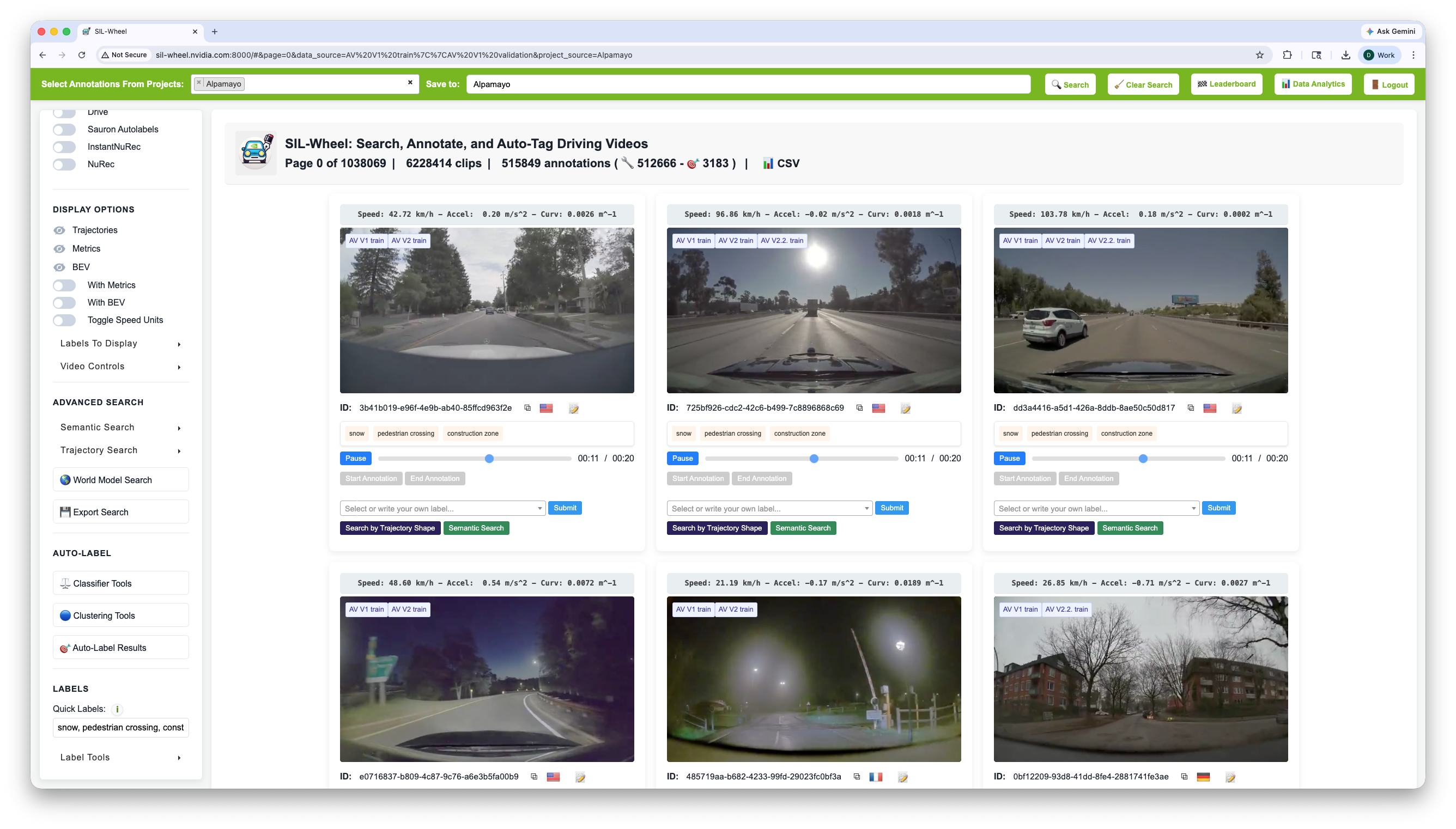
Quick Label buttons under each clip. The active caption search term is automatically added to the list. Users need to simply click on any of the quick labels and the label will appear.#
Auto-Label Results#
The Auto-Label Results function assigns a label to clips from the current search result. Any combination of active search modes defines the slice, and the number of pages or clips to label can be configured before applying, making it easy to label a controlled subset rather than the entire result. This is useful for bootstrapping training sets and creating annotation-backed evaluation sets.
When used together with classifier search, auto-labeling can be scoped to clips above a confidence threshold: run the classifier to retrieve high-scoring clips, then auto-label the result.
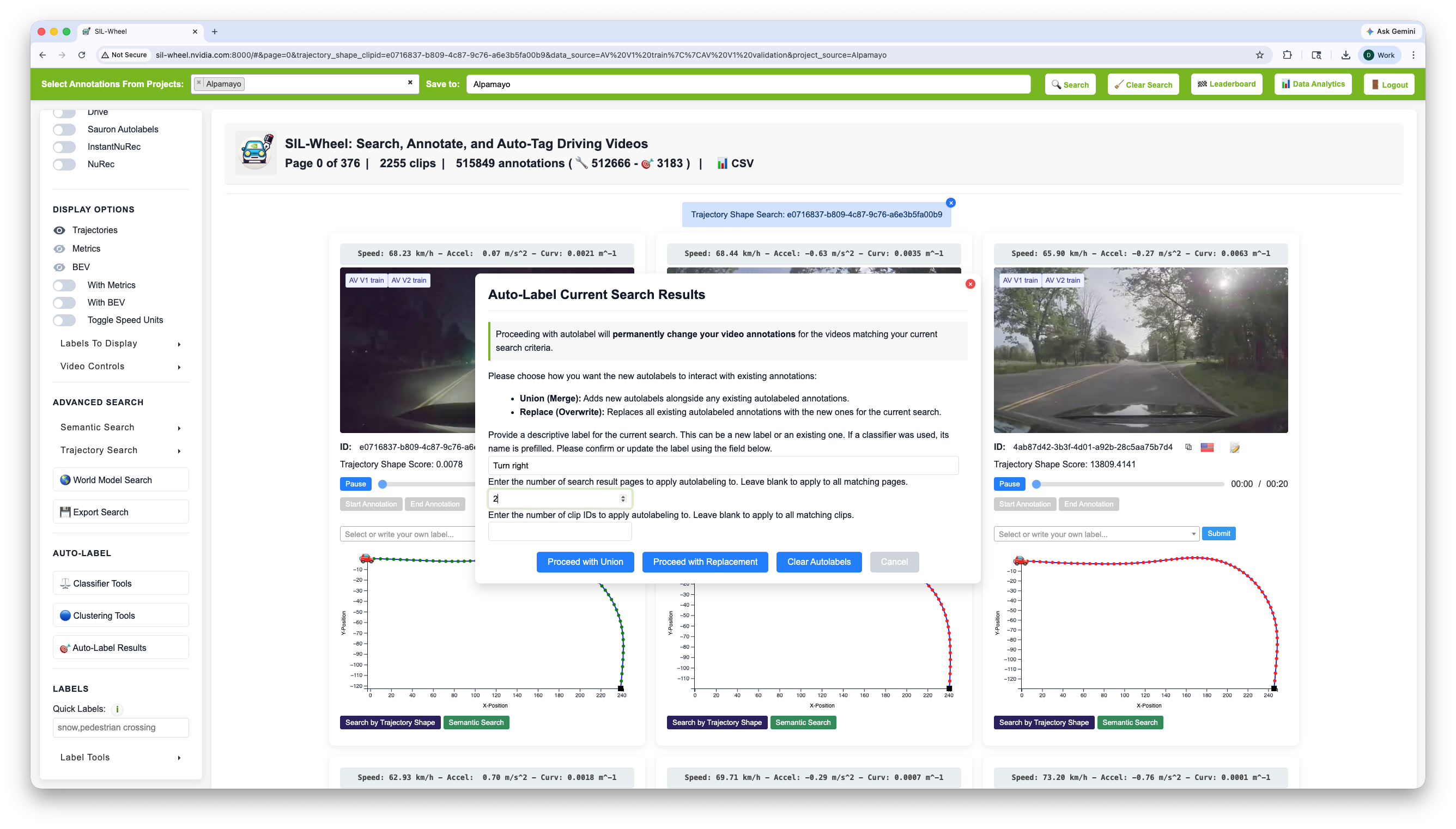
Auto-labeling clips from the current search. The number of pages or clips to label can be configured before applying.#
Label Manipulation#
The label management panel provides operations for reorganising labels across the entire dataset. These apply globally, not just to the current search.
Rename: Renames a label across every annotation that carries it. Useful for correcting typos or standardising terminology after an annotation campaign.
Merge: Merges multiple labels into a single target label. All annotations carrying any of the selected source labels are updated to the target. Useful when a concept has been annotated under several slightly different names.
Delete: Removes a label and all annotations carrying it from the database. This operation is irreversible.
Mass label: Applies a single label to a large set of clips provided as an uploaded file (plain text, CSV, or JSON containing clip IDs). Useful for labeling clips identified by an external script or pipeline without going through the search interface.
Upload annotations: Imports annotations from an external file, allowing labels produced outside Wheel to be ingested directly into the dataset.
Upload captions: Imports caption files for a set of clips, making them immediately available for caption keyword and caption embedding search.
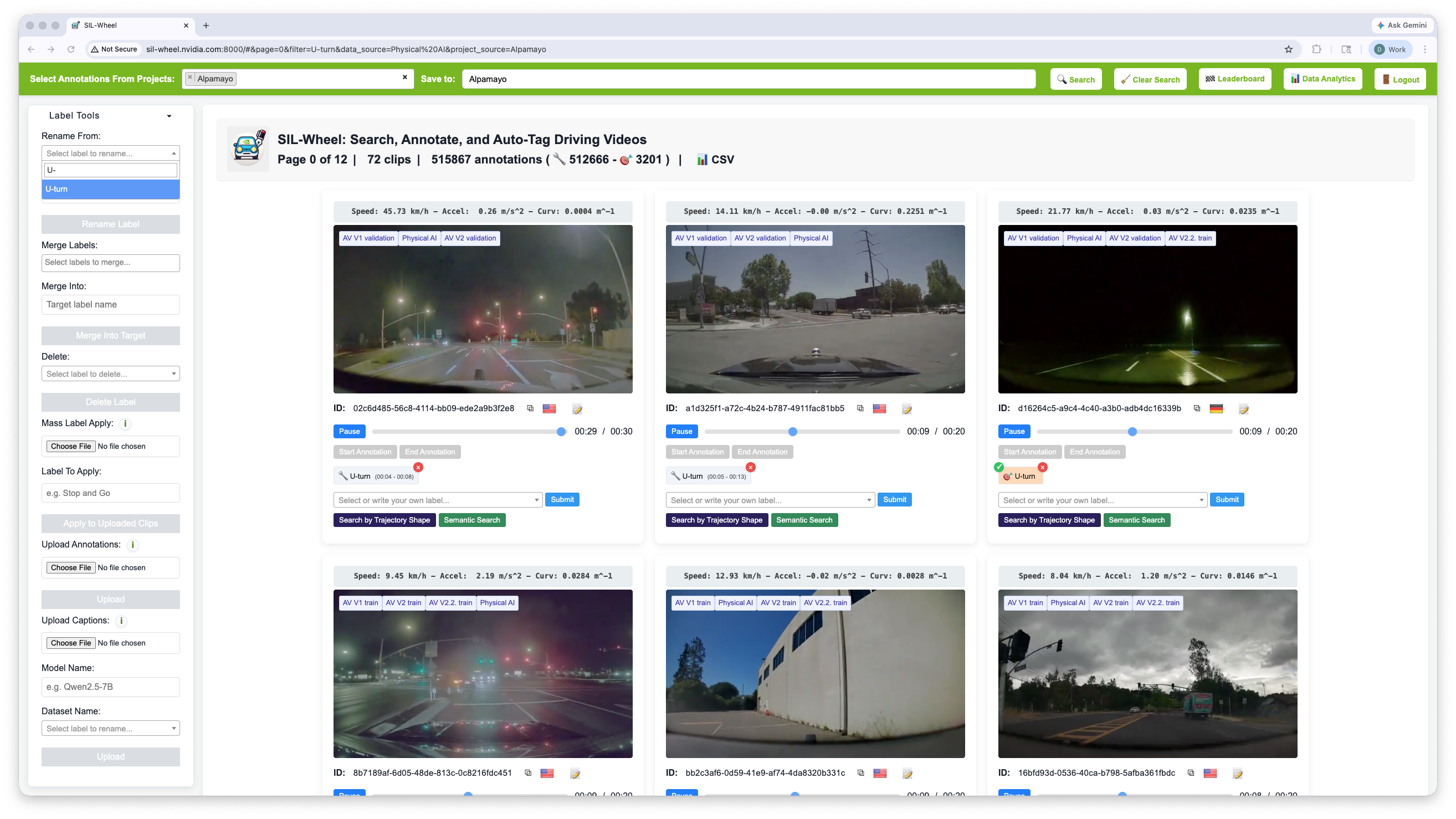
The label tools available for maintaining a label set across a whole project.#