
Metadata Search#
Search mode: structured filtering on the attributes recorded against each clip, rather than on its content.
Metadata search restricts the result set using structured attributes attached to each clip: annotation labels, data source, geography, clip identity, and numeric model scores. All filters are filter-only except numeric metrics, which can also rank results. Metadata filters compose freely with every other search mode: they define which clips are eligible while any active ranked mode determines their order.
Reach for it when you need to narrow the eligible pool before or alongside a ranked search: restricting to a dataset or region, isolating unannotated clips to prioritise labelling, or jumping straight to a clip by ID. See Common Patterns for the detailed cases.
Reach for something else when you are describing what happens in a clip rather than a recorded attribute of it; metadata search knows nothing about video content.
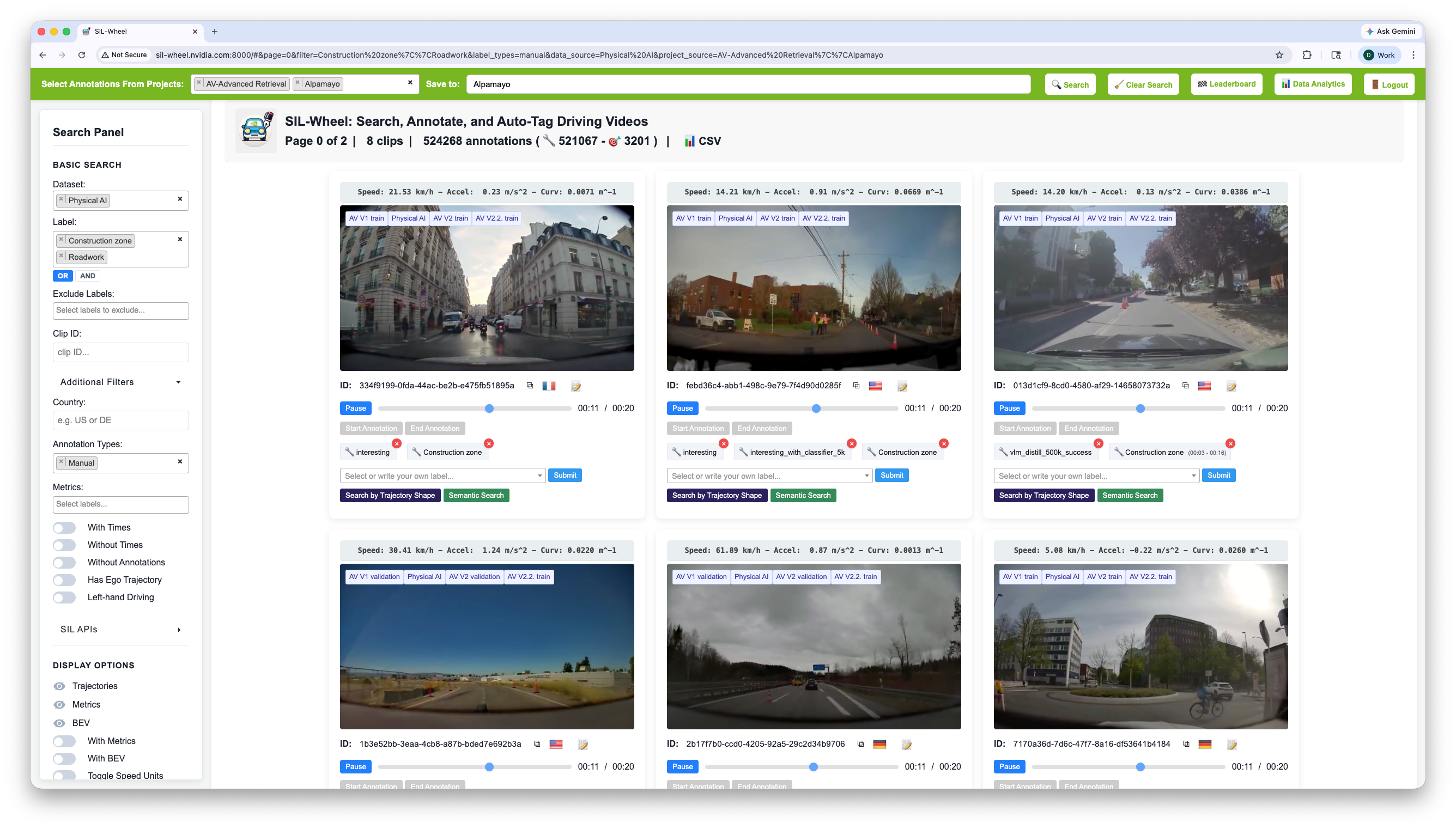
The metadata filter panel. Multiple filters can be active simultaneously; only clips satisfying all of them appear in the results.#
Note
The active Project is selected from the navbar, not from this panel. Switching projects changes which annotation labels are visible across the entire interface.
The metadata filters live in two places in the search panel:
Basic Search (always visible): the most common filters – Dataset, Label, Exclude Labels, and Clip ID.
Additional Filters (collapsible, hidden by default): less common filters – Country, Annotation Types, Metrics, With Times / Without Times, Without Annotations, Has Ego Trajectory, and Left-hand Driving. Click the Additional Filters button under the Basic Search block to expand the panel.
Basic Search Filters#
Dataset (multi-select): Restrict to one or more named datasets. The
dropdown lists every data source registered with the server (e.g.
AV V1 train, AV V2 validation); pick any combination.
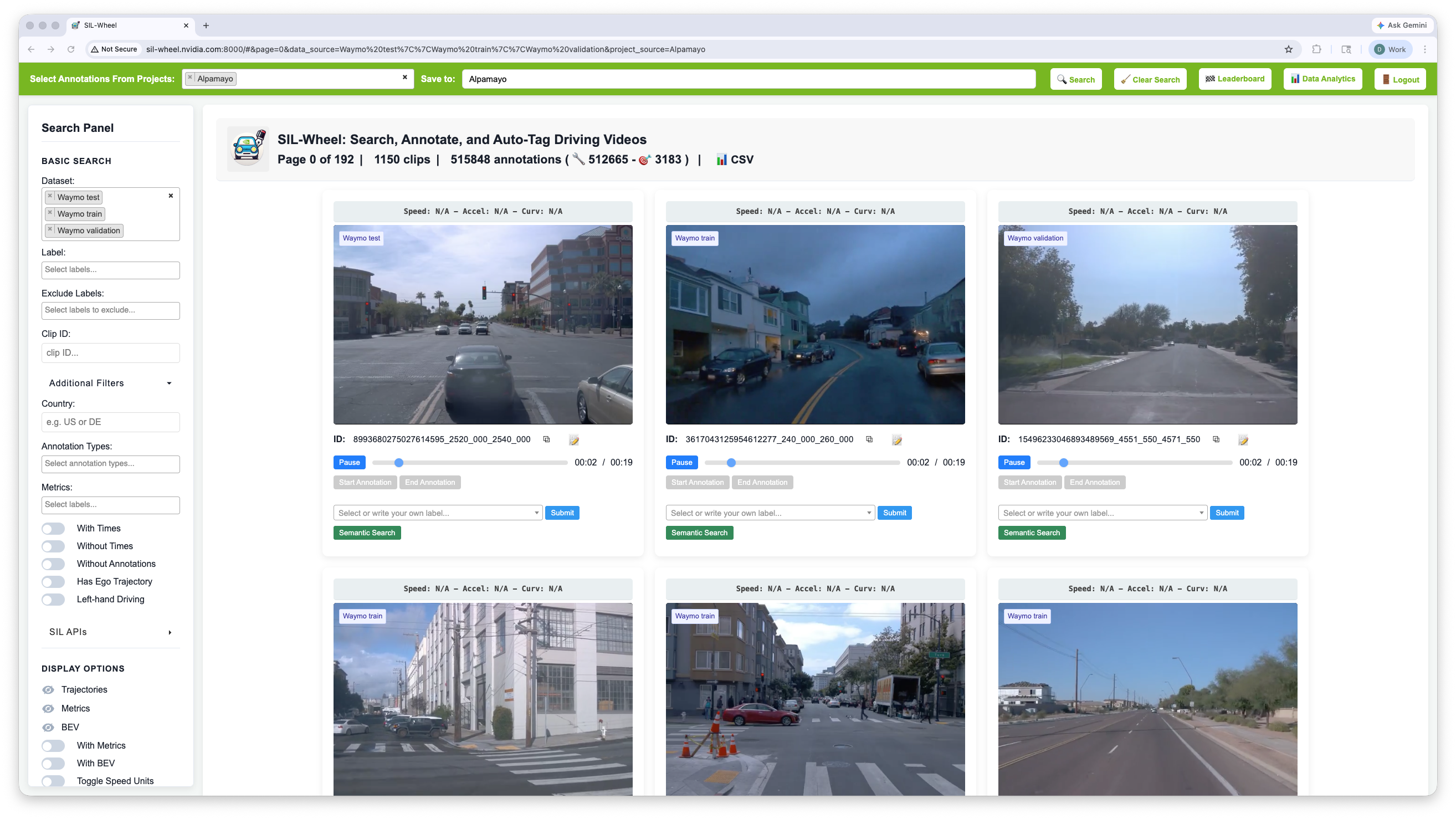
Filtering by data source. A single run can span multiple datasets, and each result card is tagged with the split it came from.#
Label (multi-select): Filter clips by their annotation labels. The
dropdown is populated from the labels available in the active project(s).
By default a clip qualifies if it carries any of the selected labels (OR
mode); switching the toggle to AND requires all of them. Examples:
crosswalk, construction zone, rainy weather.
Exclude Labels (multi-select): Hide clips that carry any of the selected labels, for example dropping clips already marked as low quality or assigned to a training fold. Same dropdown vocabulary as Label.
Clip ID (text input, exact match): Retrieve a single clip by its
exact ID. Useful for jumping directly to a known clip from an external
script, a leaderboard result, or a bug report. The expected format is the
clip ID string as it appears on each result card (e.g.
alpamayo_v2_train_000123); paste it directly without quotes.
Additional Filters#
Country (text input): One ISO 3166-1 alpha-2 code at a time, such as
US, DE, or GB. Case-insensitive.
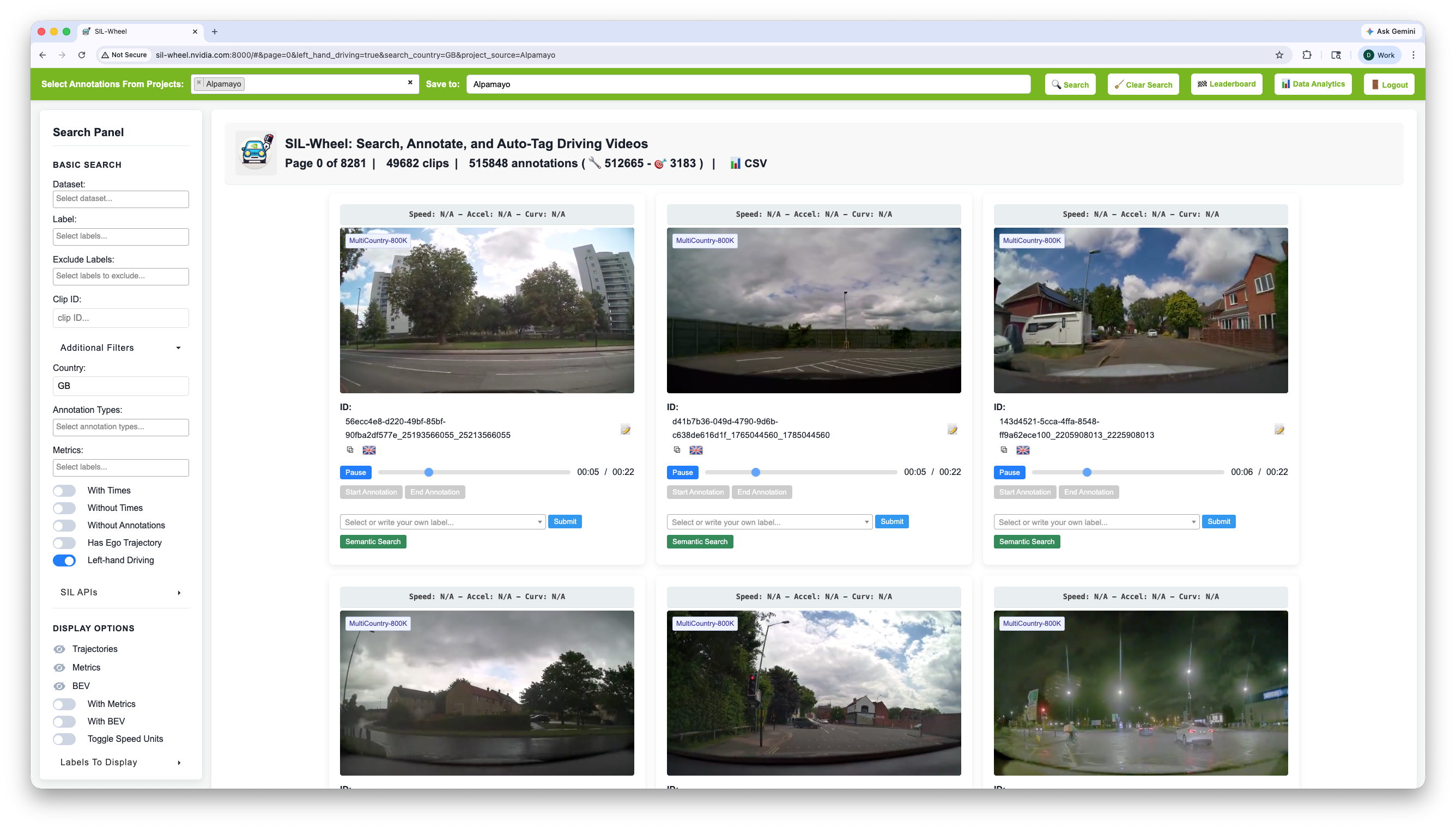
Filtering by country (here Great Britain, GB) and restricting to
left-hand-drive recordings.#
Annotation Types (multi-select): Show manual labels, autolabels, or both. Also governs which labels feed the Label and Exclude Labels filters.
Metrics (multi-select with ranges): Filter on any numeric metric attached to a clip, with a min, a max, or both. Adding a sort direction turns this into a ranked mode, ordering clips by the metric instead of by similarity, which is how you surface the hardest clips for a given model.
With Times / Without Times (toggles): Split a project by whether clips carry time-range annotations or are labelled at whole-clip level.
Without Annotations (toggle): Only clips with no annotation in the active project. Combined with a dataset filter, this is the queue for the next round of labelling.
Has Ego Trajectory (toggle): Only clips with ego trajectory data. Turn it on when Trajectory Search or the BEV view come back empty.
Left-hand Driving (toggle): Restrict to clips recorded in left-hand-drive countries. Implemented as a country filter under the hood, so it composes with (and overrides) a manually-entered Country when both are active.
Common Patterns#
Metadata filters narrow the eligible pool before or alongside any ranked search mode. Common patterns include:
Restricting a semantic or classifier search to a specific dataset or geographic region.
Finding all unannotated clips in a dataset to prioritise labelling work.
Surfacing the hardest clips according to a numeric model score by sorting on a metric filter.
Jumping directly to a known clip by ID when investigating a bug report or evaluating a specific example.