
Classifier Search#
Search mode: retrieval by a lightweight classifier you train in the UI from your own labelled examples.
Classifier search retrieves clips using scenario-specific classifiers trained directly inside Wheel, without leaving the UI or writing any code. Training typically completes in seconds, trained classifiers are shared across all users of the same server instance, and multiple classifiers can be trained concurrently. This makes it practical to build and iterate on classifiers collaboratively during an active annotation session.
Reach for it when the concept resists description in words or embeddings: “near-miss events”, “poor lane discipline”, anything you recognise on sight but cannot easily articulate. A few dozen labelled positives are usually enough to retrieve orders of magnitude more matches from the unlabelled corpus.
Reach for something else when the concept is easy to name, where Caption Search or Semantic Search need no training at all, or when you have no labelled examples yet. In that case Cluster Search is the usual way to find the first ones.
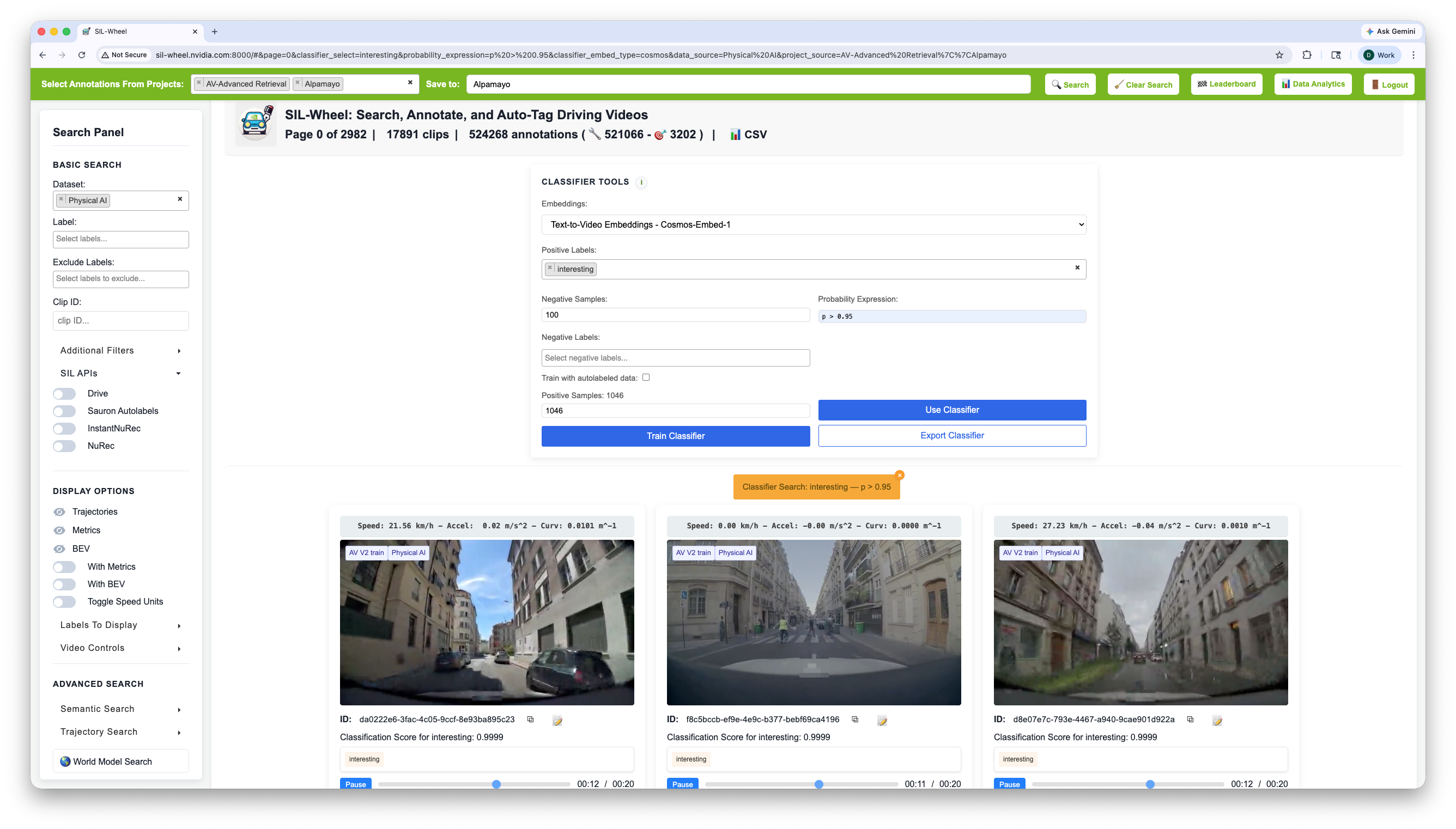
Classifier search: a classifier trained on 1046 manually annotated
interesting clips retrieves roughly ten times as many high-confidence
matches from the unlabeled corpus.#
How It Works#
A classifier is trained over pre-built clip embeddings. It learns a decision boundary in the embedding space that separates positive examples from negatives, then outputs a probability in [0, 1] for every clip in the dataset. Because the embeddings are precomputed and the resulting scores are stored in memory, applying the classifier to the full dataset takes milliseconds regardless of dataset size.
This approach works well with very few examples, sometimes as few as 10-20 positives, because the embedding already encodes rich visual or semantic structure. The classifier only needs to identify which region of that space corresponds to the target concept.
Embedding Types#
The Embeddings dropdown decides what kind of similarity the classifier learns. The three spaces are the same ones behind Semantic Search, Caption Embedding Search, and Visual Search:
Text-to-Video (Cosmos-Embed1) trains on video content. Default, and the right choice for scenarios.
Caption (Qwen3-Embedding-8B) trains on how clips are described, which helps when the distinction is clearer in language than in appearance.
Visual (Florence-2 / SigLIP2) trains on individual frames, which catches objects too brief or too small to shift a whole-video embedding.
Each space keeps its own classifiers, so the same label can be trained on all three independently.
Training a Classifier#
Positive labels are the annotation labels whose clips train the classifier. Select several and a clip carrying any of them counts as positive.
Negative labels are optional. Left blank, negatives are sampled at random (100 by default). Setting them narrows what the classifier has to tell apart: training “construction zone” against “highway” negatives sharpens that specific boundary rather than separating the positives from the whole dataset.
Train with autolabels widens the positives to include clips a previous classifier labelled. This is the refinement loop: train, auto-label a large slice, retrain on the result.
The sample caps are optional and only matter for speed or for balancing a heavily skewed set.
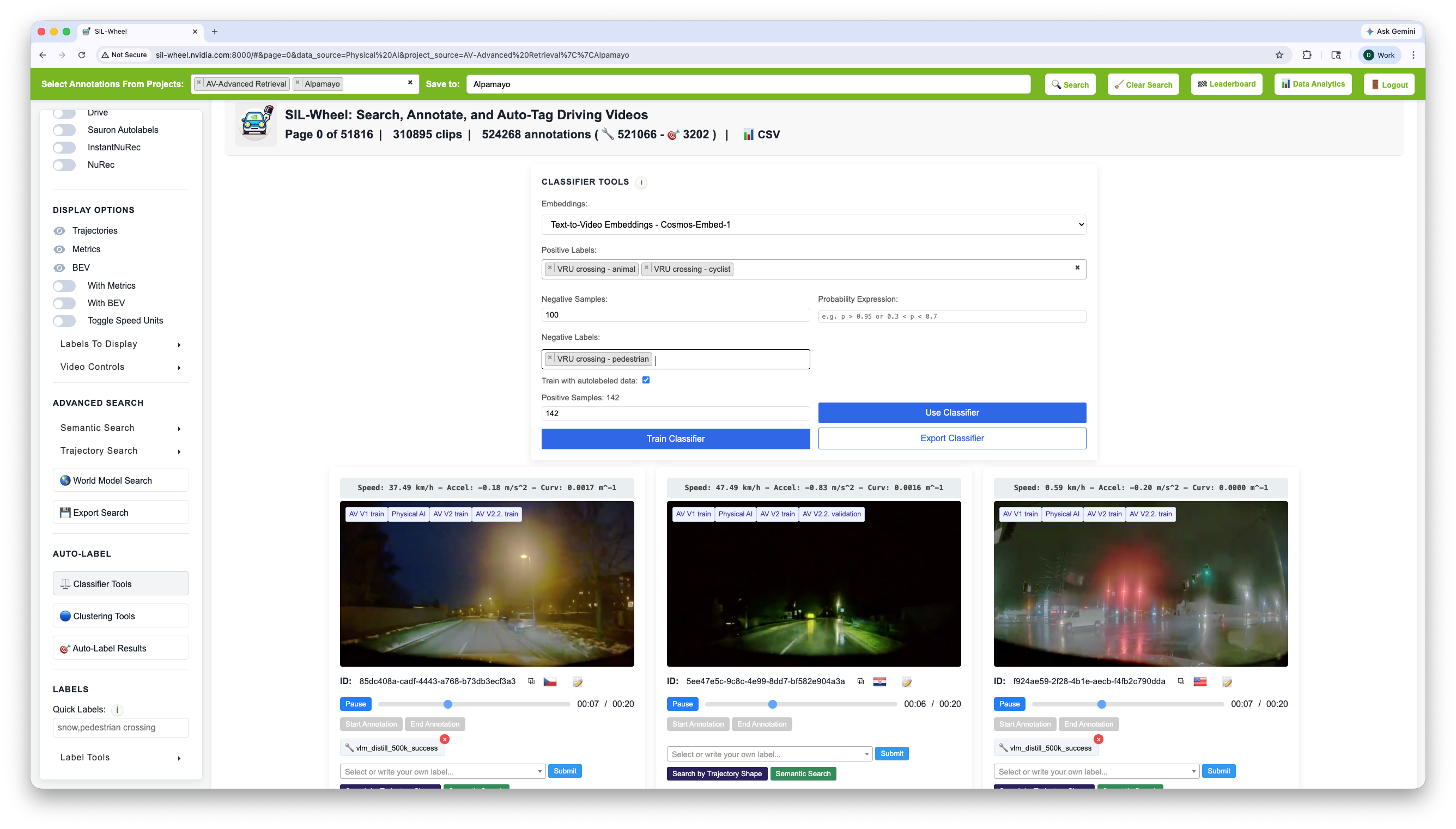
Classifier training configuration: positive and negative labels, the negative sample count, and whether autolabeled clips join the training set.#
Once a classifier is ready the button Use Classifier gets enabled. Each classifier can be retrained independently at any time by adjusting the annotations and clicking Train again.
Applying a Classifier#
Once a classifier is trained enter a probability expression in the filter field and click the Use Classifier button. Every clip in the dataset is scored and only clips whose score satisfies the expression are returned. Clips are ranked by score, so the highest-confidence positives appear first.
Using a range expression rather than a simple threshold (e.g.
0.6 < p < 0.85) is a useful strategy for reviewing borderline cases.
Clips near the decision boundary are often the most informative for the
next annotation round and can quickly improve the classifier when added to
the training set.