
Perception-based Search#
Search mode: geometric filtering on where detected road users sit relative to the ego vehicle.
Perception-based search filters clips based on the spatial relationship between the ego vehicle and detected road users. It answers questions like “clips where a pedestrian was within 3 metres directly ahead” or “clips with more than 5 vehicles present simultaneously” without relying on captions or manual annotations. Detections are produced by a 3D object detector run over every clip offline, so filters evaluate in milliseconds regardless of dataset size. This is a filter-only mode: it restricts the eligible clip pool without producing a ranking score of its own.
Reach for it when the question is spatial and quantitative: a pedestrian within 3 metres directly ahead, more than five vehicles at once, a cyclist approaching from the front-left. These are conditions captions rarely state precisely and embeddings cannot measure.
Reach for something else when your dataset has no precomputed detections, or the question is about how a scene looks rather than where objects are, where Semantic Search and Visual Search apply.
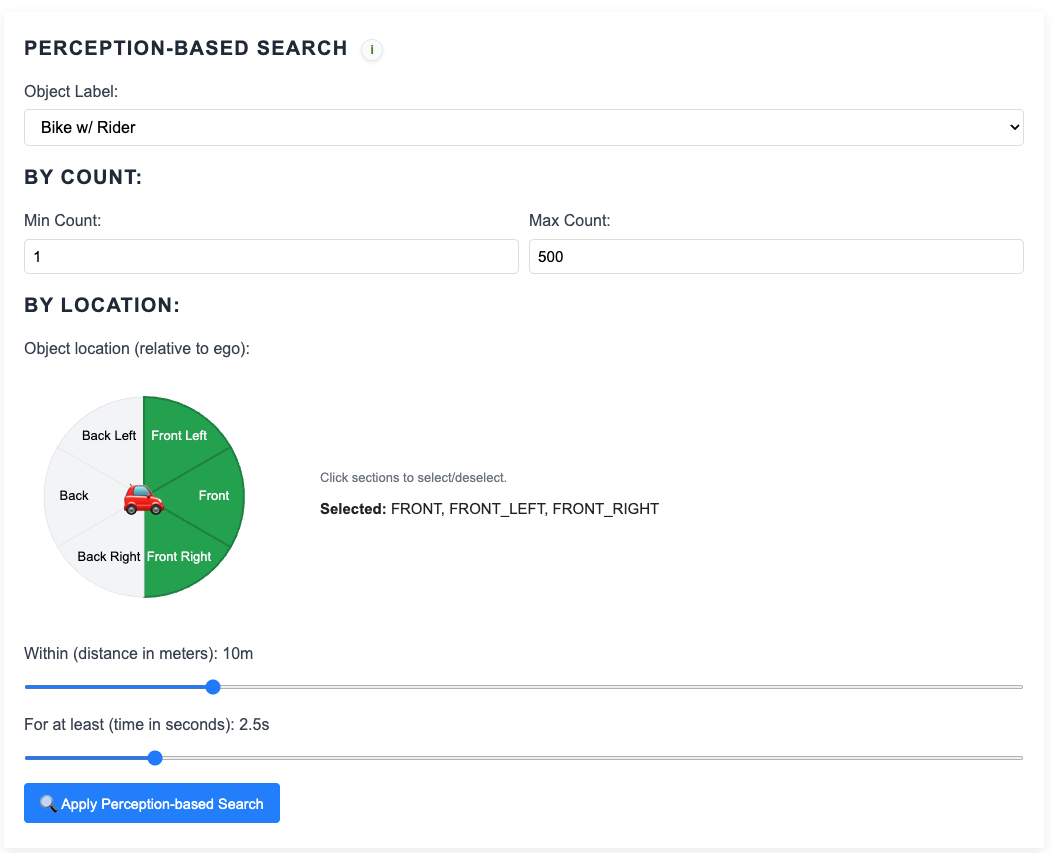
The perception-based search panel for configuring object class, angle sectors, count, and range filters.#
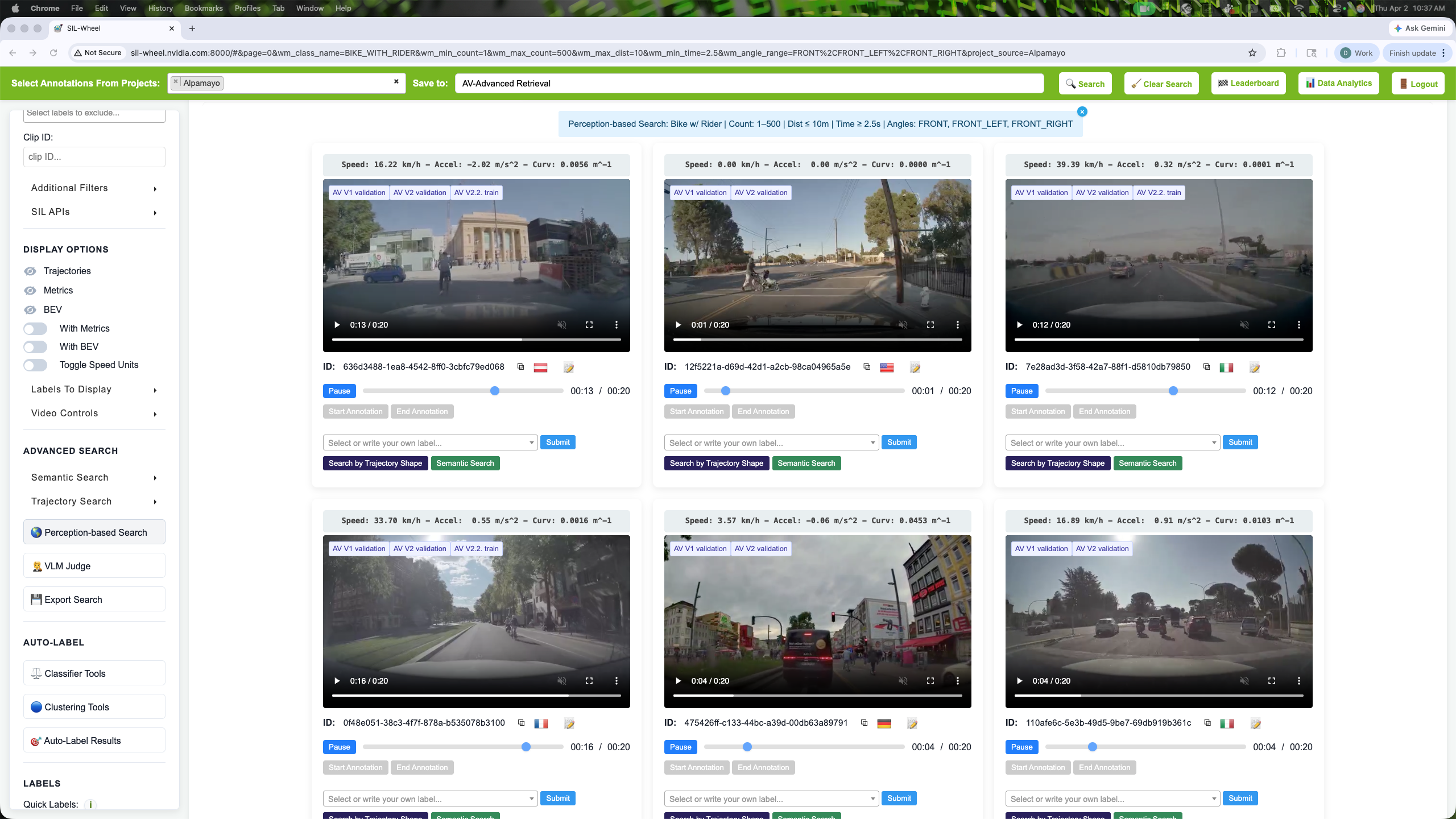
Perception-based search: clips containing a bike with rider within 10 m of the ego vehicle, in the front or front-side sectors, for at least 2.5 s.#
How It Works#
A 3D object detector is run over every clip offline. Per-frame detections are aggregated into per-clip statistics (object counts, distances, and angular positions) and held in memory, so filters evaluate in milliseconds regardless of dataset size.
Object Classes#
The Object Label dropdown lists the object classes that can be filtered. Pick exactly one:
Label (UI) |
Underlying class |
|---|---|
Car |
|
Truck |
|
Bus |
|
Bike w/ Rider |
|
Pedestrian |
|
Angle Ranges#
The space around the ego vehicle is divided into six sectors. One or more sectors can be selected; the filter matches clips where the object appears in any of the selected sectors.
Sector |
Description |
|---|---|
|
Directly ahead |
|
Front-right quadrant |
|
Rear-right quadrant |
|
Directly behind |
|
Rear-left quadrant |
|
Front-left quadrant |
Count Filter#
Filters by the total number of detections of a given object class across all frames in the clip. A minimum and/or maximum count can be set. Useful for finding clips with high pedestrian density, or clips with no other vehicles present at all (max_count = 0).
Range Filter#
Filters by object presence within a combined spatial and temporal window. The object must appear in one of the selected angular sectors, within a specified distance from the ego vehicle, for at least a minimum continuous duration. All three constraints must be satisfied simultaneously.
For example: “a pedestrian within 5 metres in the FRONT or FRONT_LEFT
sector for at least 2 seconds” translates to selecting
PEDESTRIAN_UNKNOWN, sectors FRONT, FRONT_LEFT, max distance 5 m,
min time 2 s.