
Evaluation#
Evaluation APIs: scoring registered models on any slice you can retrieve, rather than only on a fixed benchmark set.
Any data slice in Wheel can be used directly as a benchmark. This connects search and evaluation in a closed loop: failure modes found during evaluation can immediately guide the next round of model development, data curation and benchmarking.
Reach for it when an aggregate number over a whole dataset is hiding the behaviour you care about, and you want the same metrics recomputed on a targeted subset: a weather condition, a manoeuvre, a geography, or the output of a classifier you just trained.
You will need predictions already registered against the clips. Evaluation scores existing model outputs; it does not run models for you.
Wheel provides three evaluation tools:
Tool |
What it does |
Scope |
|---|---|---|
Project-specific Leaderboards |
Aggregates per-clip metrics across all registered models on the active search slice. |
Slice-scoped |
Model Predictions |
Shows per-clip model outputs alongside ground truth, with a metrics timeseries. The output type depends on the leaderboard group: trajectory predictions for driving models, prompt responses for VLMs, or synthesised outputs for generative models. |
Per-clip |
Arena |
Supports anonymous pairwise preference evaluation between model outputs, with a Glicko-2 leaderboard and 95% confidence intervals. Designed for continuous evaluation as new models and data are added. |
Arena-scoped |
All these tools are available from the Leaderboard page.
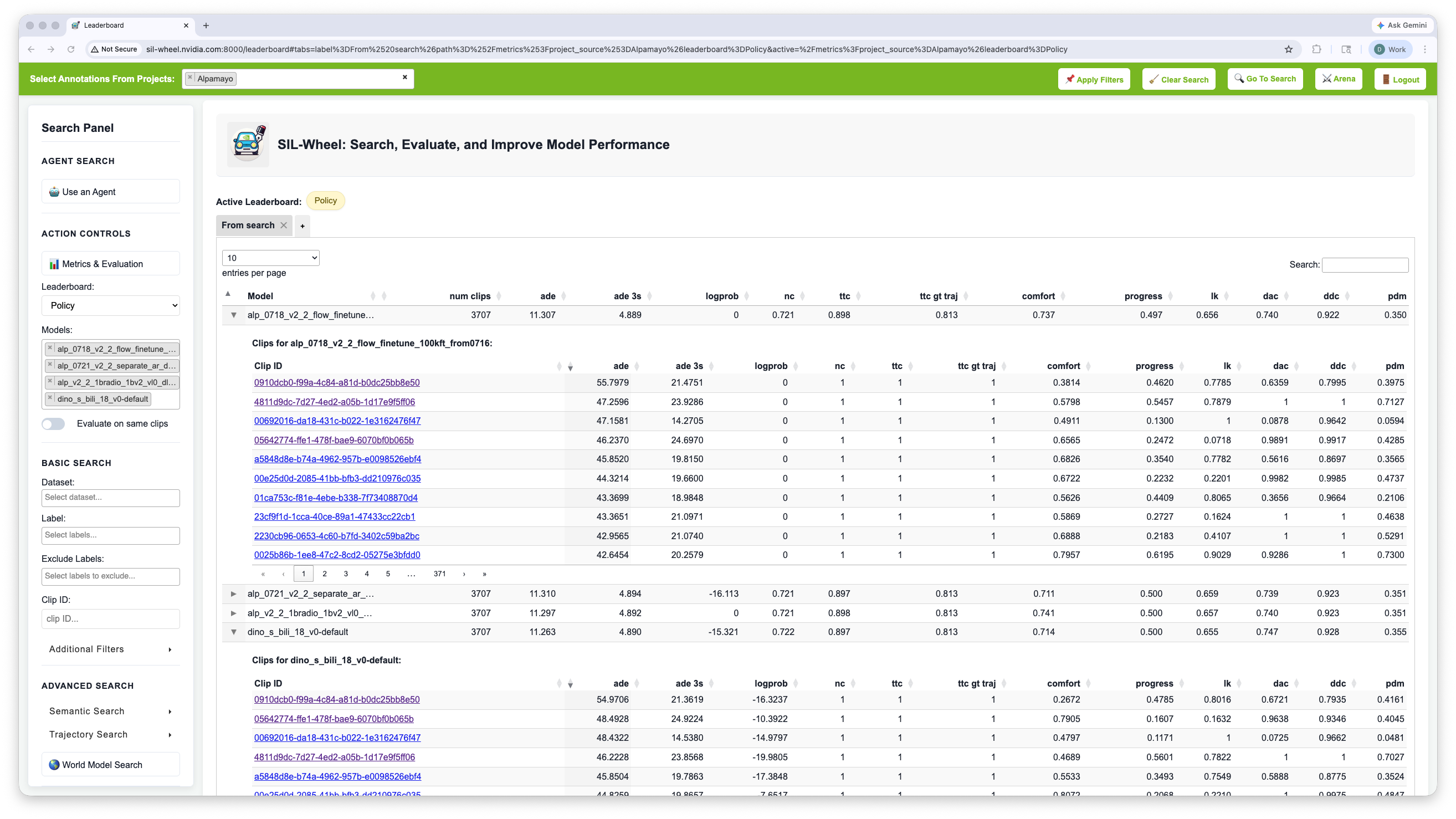
The Leaderboard page, from which all three evaluation tools are reached. Any model row expands into the per-clip scores behind its aggregate.#
How the Leaderboard Works#
Metric computation is entirely offline. Users run their models externally and write three files per model into the configured predictions directory:
{model_name}_metrics.npy– a matrix of per-clip metric values{model_name}_clip_to_index.pkl– mapping from clip ID to row index{model_name}_metric_name_to_index.pkl– mapping from metric name to column index
The server loads all of them into memory at startup. No re-evaluation is triggered at query time: all scores are already on disk.
Leaderboard groups are controlled by a model_to_leaderboard.json file in
the same directory, which maps each model name to a group label such as
“Policy training” or “VLM (Vision-Language Models)”. If the file is absent,
models are grouped automatically by their set of metric names.
Adding a new model requires placing its pre-computed files on disk and restarting the server. There is no runtime upload endpoint.
Slice-Based Benchmarking#
Targeted search and slice-based evaluation support a failure-driven workflow:
Identify a failure mode from aggregate evaluation results.
Retrieve a slice that captures that scenario.
Curate and label the slice using manual annotation or auto-label the search results.
Open the leaderboard, and inspect the recomputed metrics on the active slice.
Use the slice as a targeted benchmark or as a hard subset for the next training run.
This makes it practical to stress-test models on increasingly specific subsets, moving beyond global averages toward behaviour-specific evaluation.
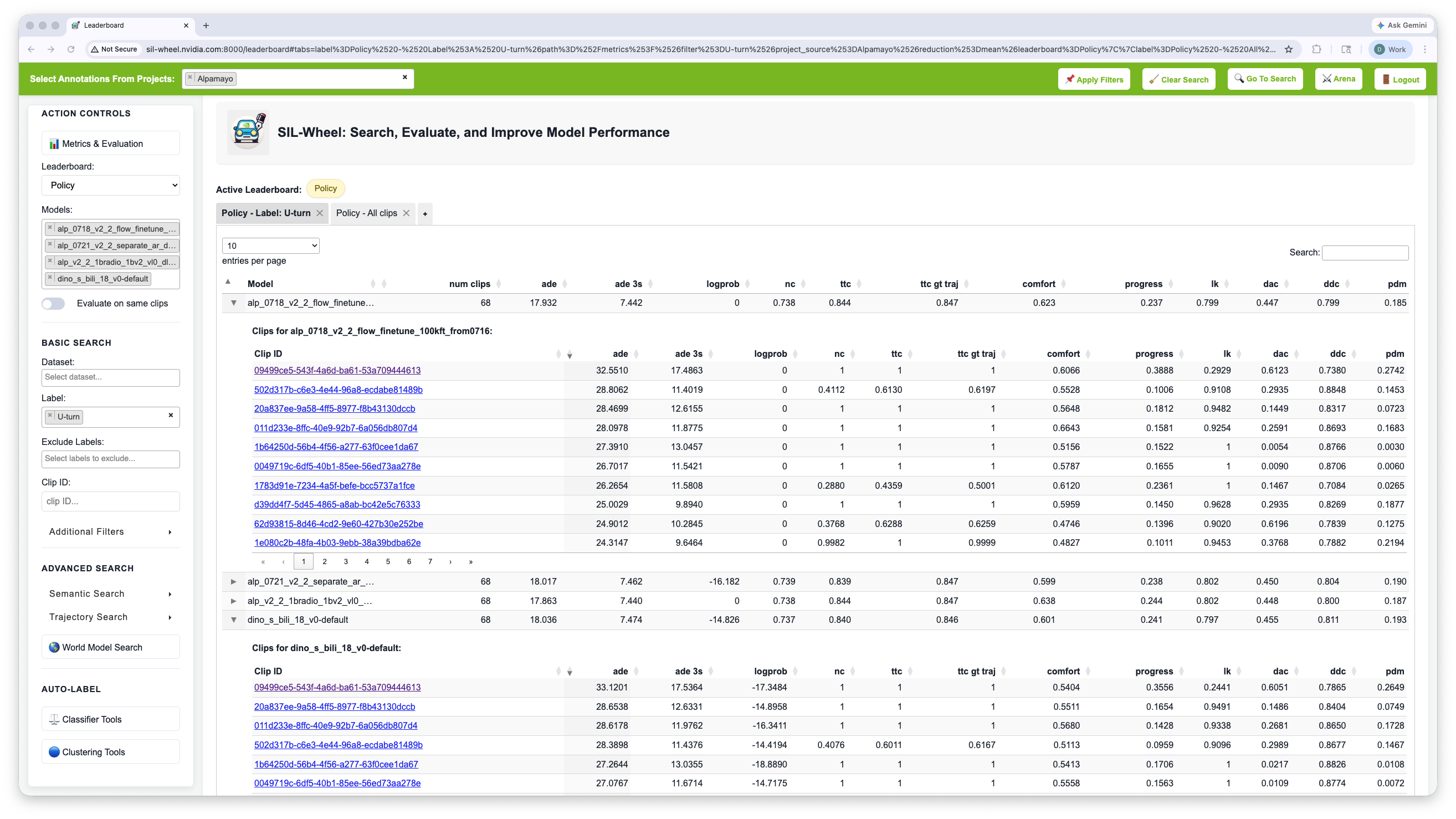
Policy Leaderboard recomputed on a targeted slice (here U-turn).#