
Visual Search#
Search mode: frame-level matching of a text query or an uploaded image against individual video frames.
Visual search retrieves clips by matching a text query or an uploaded image against individual video frames using SigLIP2 embeddings. Unlike semantic search, which represents each clip as a single video-level embedding, visual search operates at the frame level: a clip is returned if any single frame (or detected region within a frame) matches the query. This makes it particularly effective for finding specific objects, signs, or scene elements that appear briefly or only in part of a clip.
Reach for it when the target is visually distinctive and identifiable from a still frame, such as a stop sign, a construction cone, or a wet road surface, and especially when it appears only briefly. You can also search by uploading a reference image instead of describing it.
Reach for something else when the concept is about the clip as a whole unfolding over time rather than any single frame, where Semantic Search matches the video-level representation.
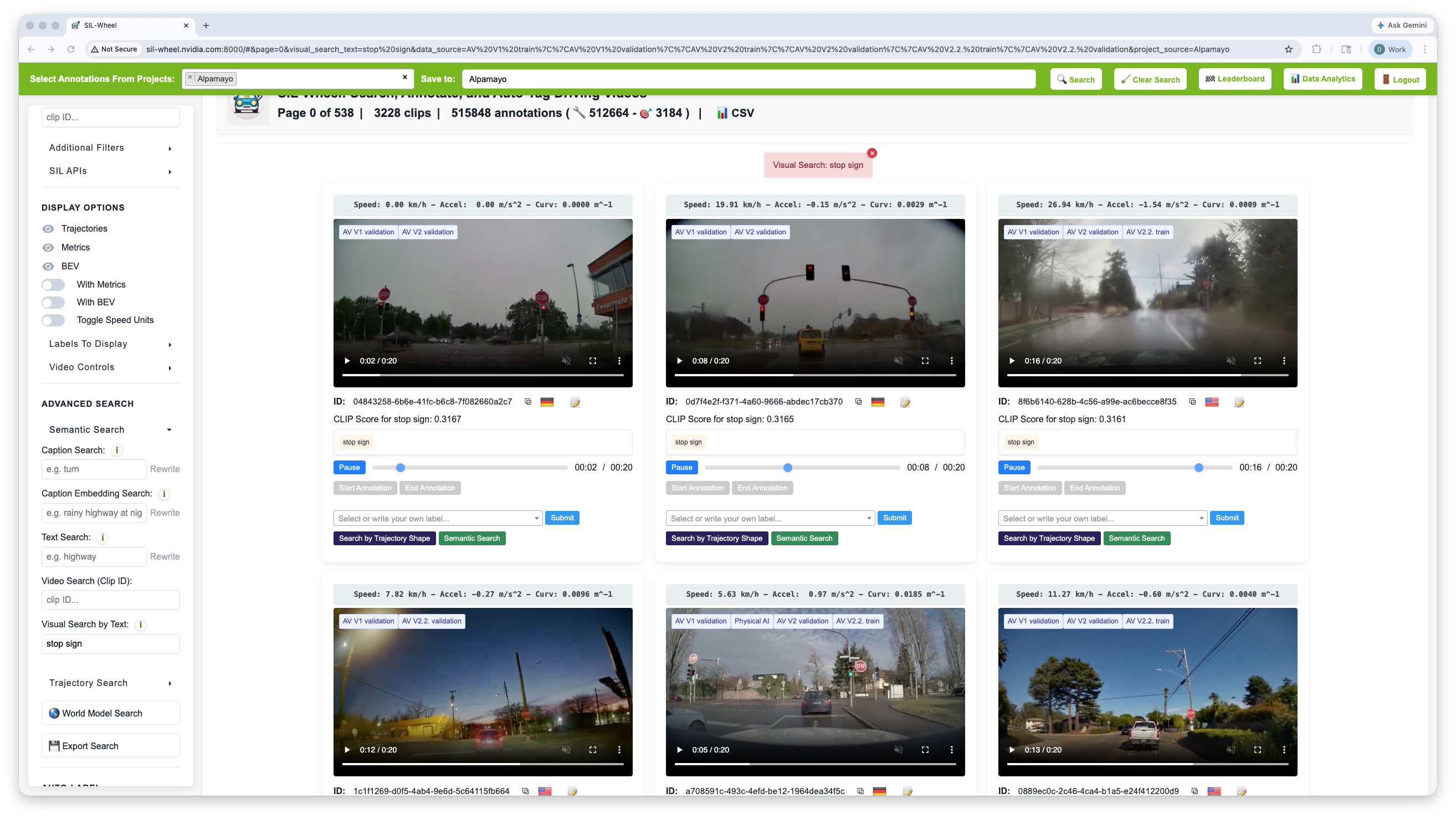
Visual search for stop sign. Each clip is scored by how well a region
within it matches the phrase.#
How It Works#
Offline indexing. For each clip, 8 frames are sampled uniformly across
its duration. Each frame is processed in two ways: the full-resolution image
is kept as one view, and Florence-2 (microsoft/Florence-2-base) runs
object detection (<OD>) on the frame to propose up to 8 regions of
interest (minimum 32 px per side, expanded by 10 %). Each detected region is
cropped from the frame and treated as an additional view. All views – full
frames and region crops – are encoded by SigLIP2
(google/siglip2-base-patch16-224) into 768-dimensional vectors,
L2-normalised, and stored in a FAISS inner-product index (default
IVF4096,PQ64x8). Because the number of detected regions varies per frame,
the total number of indexed views per clip is variable rather than fixed.
At query time. The query text is wrapped in a prompt template (default
"a photo of {text}") and encoded by the same SigLIP2 model into a 768-d
vector in the shared image-text space. FAISS returns the views whose visual
content is nearest to it by cosine similarity. When multiple views from the
same clip are retrieved, only the highest-scoring one is kept, so each clip
appears at most once in the results. Clips are ranked by that best view
score.
Image Search#
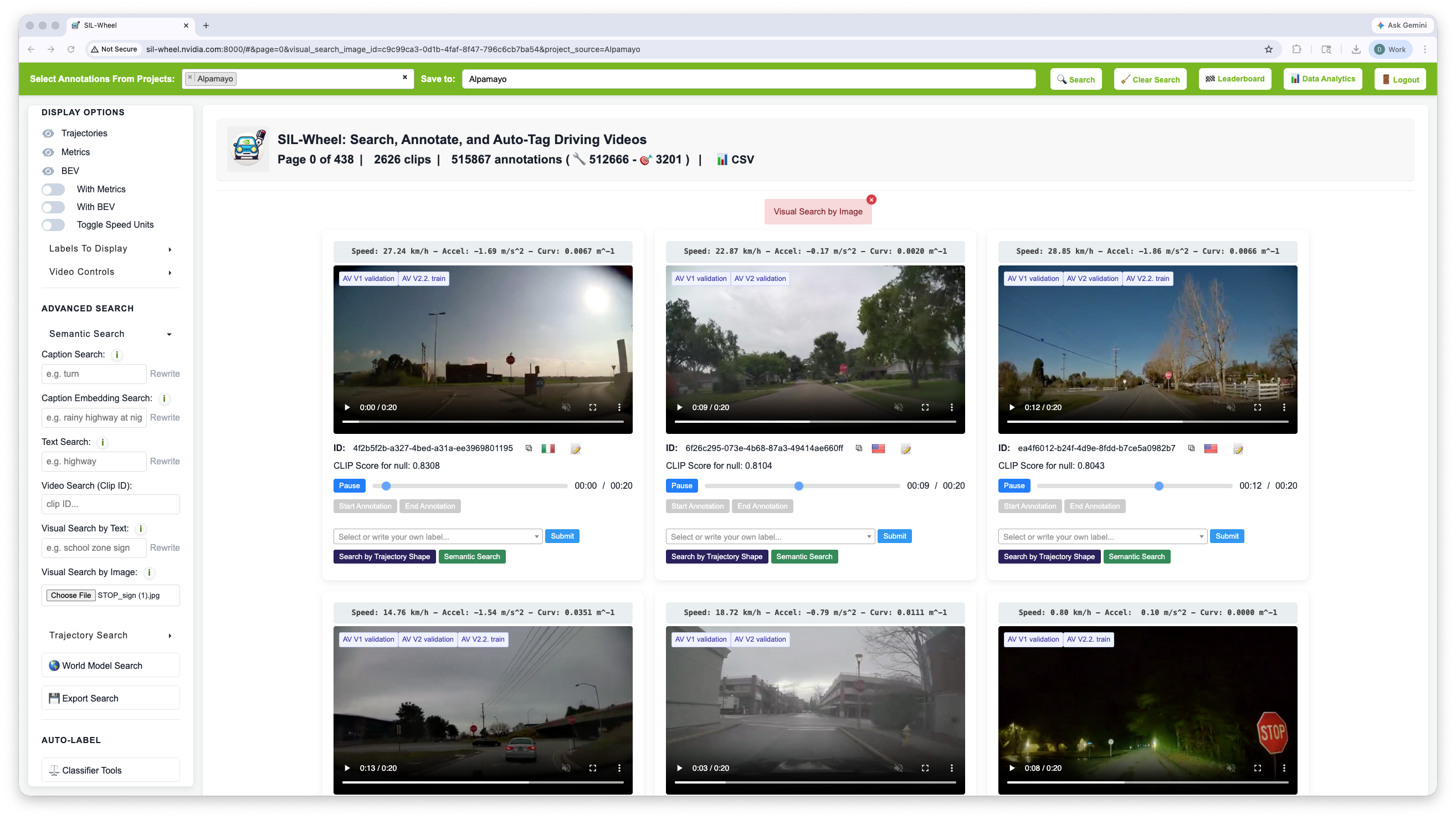
Searching for visually similar clips by uploading this image.#

Instead of typing a description, you can upload an image to use as the query. Click Visual Search by Image below the text query box and select a local file. The image is encoded by the same SigLIP2 model into a 768-dimensional vector and matched against the precomputed view index in the same way as a text query: each view’s embedding is compared to the image embedding by cosine similarity, and clips are ranked by their highest-scoring view.
Text-to-video and image-to-video search can be used together: when both are active, results are ranked by whichever score is higher per clip, with the text-to-video score taking priority when sorting.
Query Rewriting#
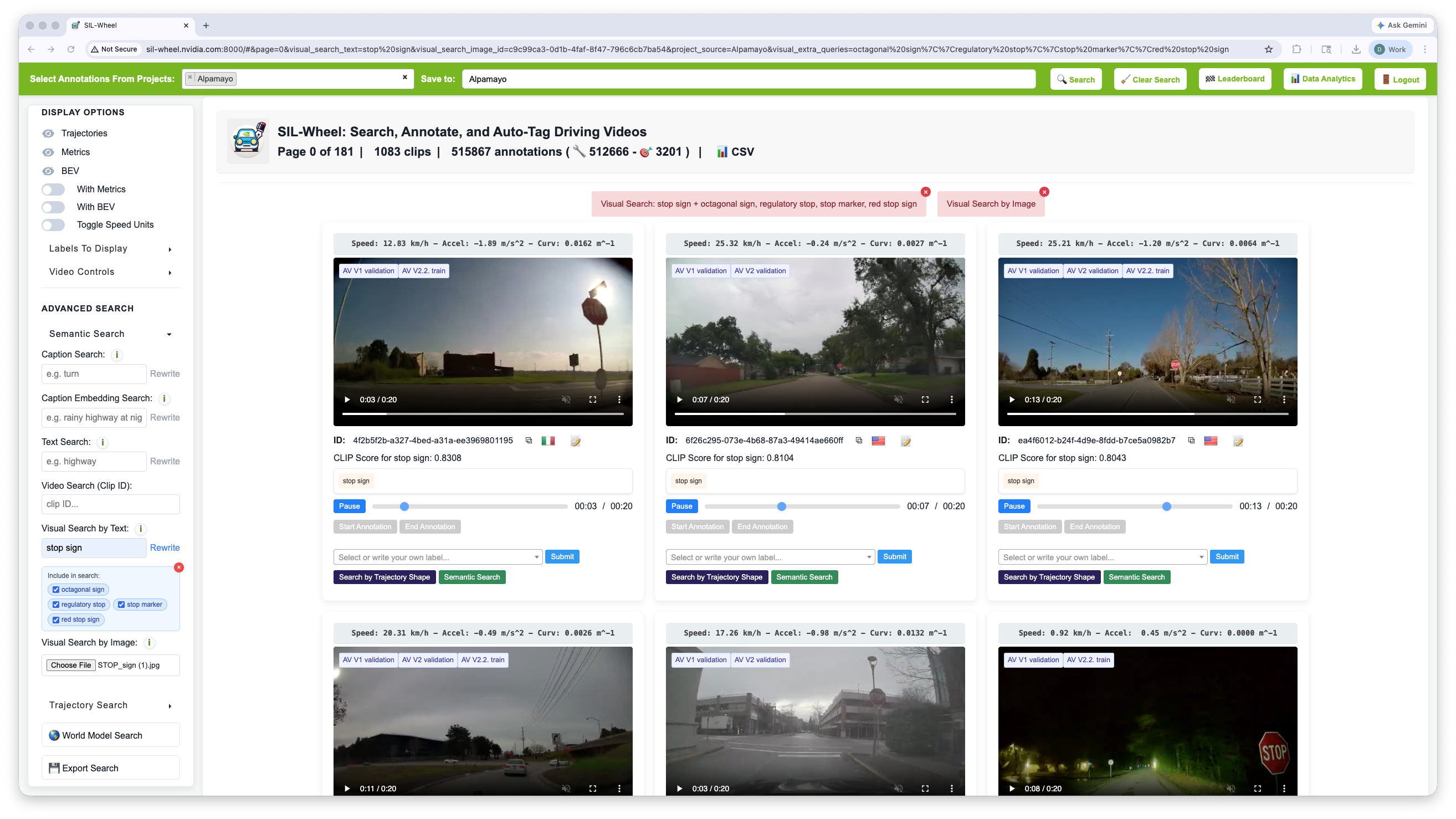
Query rewriting expands stop sign into alternative phrasings,
each shown as a checkable tag beneath the search field.#
Clicking Rewrite sends the text query to a language model that generates short alternative phrasings of the same visual concept. For example, “school zone sign” might expand to “speed limit sign”, “crosswalk ahead sign”, and “children crossing sign”. The system runs a separate SigLIP2 search for each rewritten variant, deduplicates the results, and keeps the highest score per clip. Each rewrite appears as a tag in the UI; removing a tag excludes that variant from the search.
Query rewriting applies to text queries only and is unavailable when image search is active. It is always enabled: when an NVIDIA or OpenAI API key is configured the rewrite is served by that provider, otherwise it falls back to a local LLM, so no key is required.